Create banners for product campaigns, events, and social channels. Start with GPT Image 2.5 Flare, or choose GPT Image 2 or Nano Banana. Use a prompt and an optional reference image.

Sign in to generate · 5 free credits for new accounts · 2 credits per image

Generate a Banner Image

Choose a model, describe your idea, and optionally add a reference image. GPT Image 2.5 Flare is selected by default. Each image uses 2 credits; new accounts receive 5 trial credits.

Advanced settings16:9 · 1 image

Optional: upload a PNG, JPG, or WEBP image up to 3MB to guide the generation.

1 image · 2 credits total (2 per image)

Try an idea
Generated Results

Your generated image will appear here for preview and download.

AI-generated examples

Ads, event graphics and channel covers generated from specific briefs. The brands, people and events are fictional demonstrations. Each example includes its model, export dimensions and full prompt.

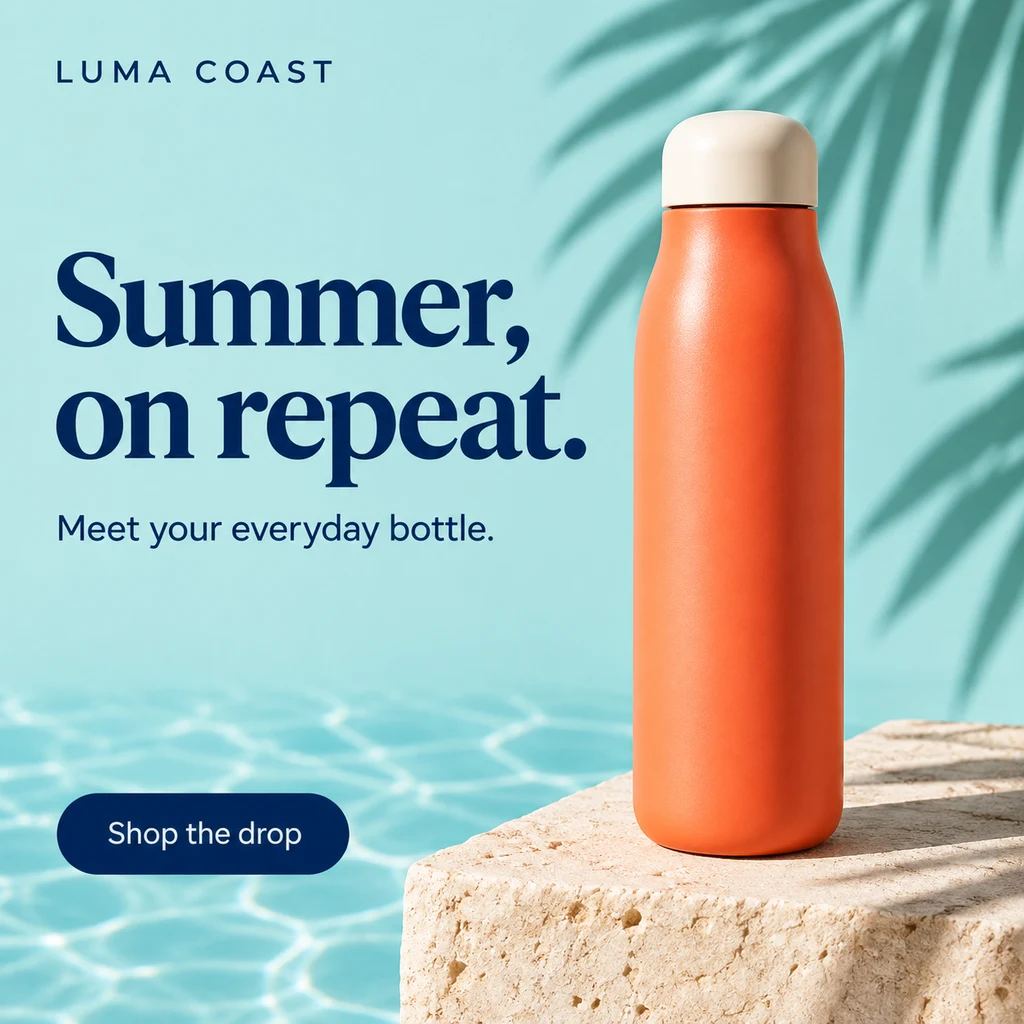
AI-generated LUMA COAST summer advertisement with a coral bottle, turquoise background and Summer, on repeat headline.
GPT Image 2.5 Flare

A summer product launch

LUMA COAST · A reusable bottle launch with product photography, a headline and a shopping CTA.

Fills the prompt and model. Does not generate or spend credits.

View the full generation prompt

AI generated · Fictional brief

Model
GPT Image 2.5 Flare
Export
1024 × 1024 px
Source
1254 × 1254 px

Resized and exported as WebP

Create one finished square 1:1 e-commerce launch advertisement for the fictional reusable bottle brand LUMA COAST. Target export: 1080 by 1080 pixels. Art direction: premium summer product photography meets confident editorial typography. A single beautifully designed coral-orange stainless steel insulated bottle with a rounded pale-cream lid stands on a warm limestone plinth in the right half. Crisp sunlight, a subtle swimming-pool reflection, a soft palm-leaf shadow, pale turquoise background, tactile materials, sophisticated restraint. Make the bottle physically believable and free of existing brand logos. Set these exact words, with flawless spelling and strong hierarchy: small brand at top left "LUMA COAST"; large dark-navy headline on two lines "Summer, on repeat."; small supporting line "Meet your everyday bottle."; a clean dark-navy rounded CTA at lower left "Shop the drop". Keep the type on quiet, high-contrast space, with generous margins. The product occupies about 45 percent of the canvas; the headline is readable at mobile thumbnail scale. No discounts, prices, badges, testimonials, extra copy, watermark, device frame, collage, or third-party brand. Deliver only the flat advertisement artwork, not a mockup of an advertisement.

The prompt retains the brief’s requested dimensions; actual export dimensions are listed above. New generations will vary.
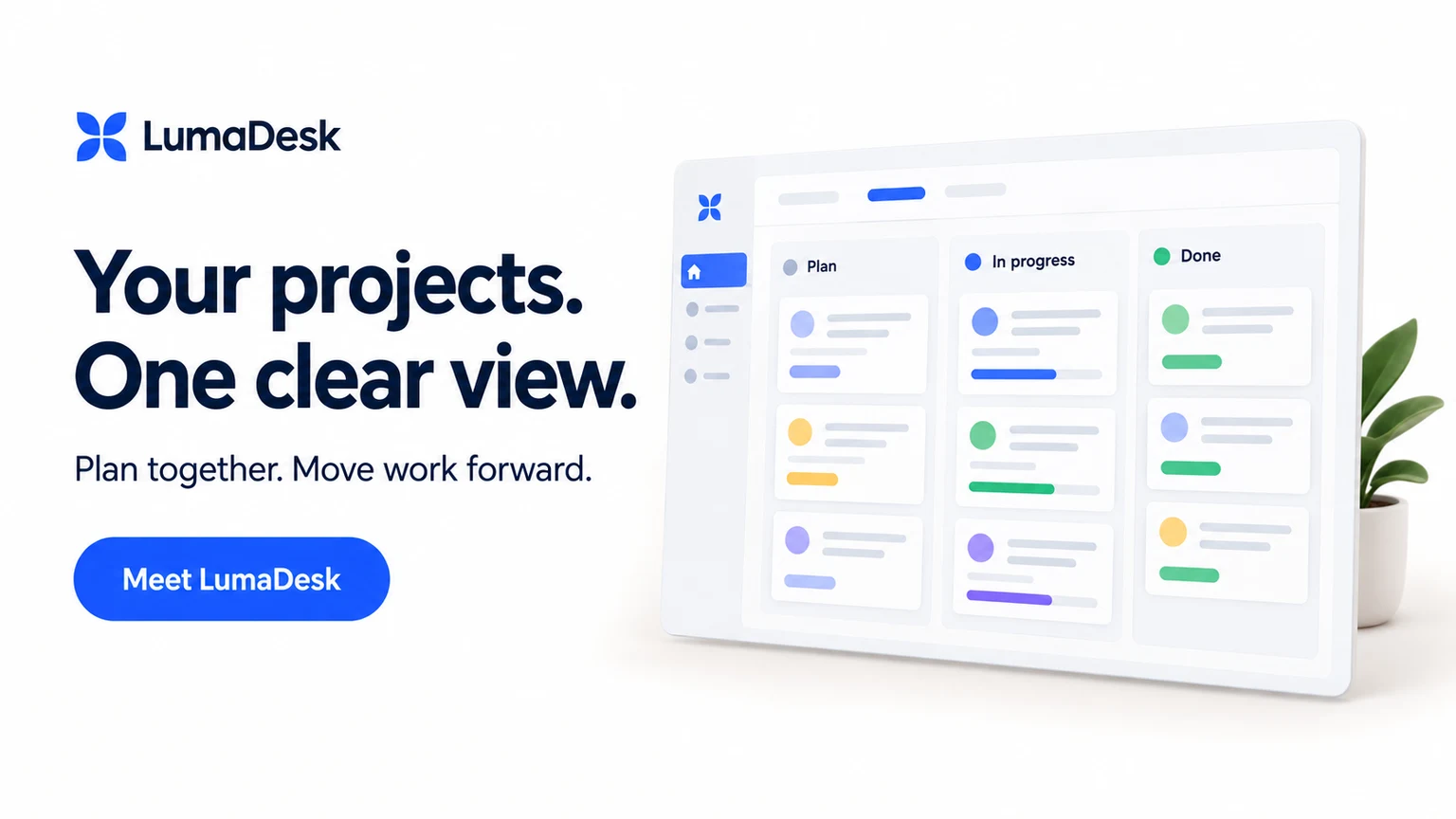
AI-generated LumaDesk launch banner with the headline Your projects. One clear view and a project board illustration.
GPT Image 2.5 Flare

A SaaS launch campaign

LumaDesk · Introduce a project workspace with a clear value proposition and an original app illustration.

Fills the prompt and model. Does not generate or spend credits.

View the full generation prompt

AI generated · Fictional brief

Model
GPT Image 2.5 Flare
Export
1536 × 864 px
Source
1672 × 940 px

Resized and exported as WebP

Create one finished 16:9 SaaS product-launch banner for the fictional project workspace LumaDesk. Target export: 1600 by 900 pixels. The product helps small teams organize projects. Use a warm off-white background, deep ink typography, one vivid cobalt accent, precise spacing, and a small original geometric brand symbol. Design it like a polished software launch campaign, calm and useful rather than a futuristic AI poster. The left 46 percent contains exact readable text: small brand "LumaDesk"; dominant headline split naturally into three lines "Your projects. One clear view."; secondary line "Plan together. Move work forward."; a cobalt CTA button shape labeled "Meet LumaDesk". On the right, show a clean original desktop-app panel at a very slight angle, with exactly three clearly named columns: "Plan", "In progress", "Done". Populate them with a few simple abstract cards and progress shapes, not tiny illegible text. Use restrained soft shadows and one subtle colored tab. Keep all type within generous safe margins. No browser chrome, real software logos, fabricated customer logos, growth charts, numerical performance claims, awards, extra text or watermark. One flat finished banner, not a web-page screenshot or multi-panel presentation.

The prompt retains the brief’s requested dimensions; actual export dimensions are listed above. New generations will vary.
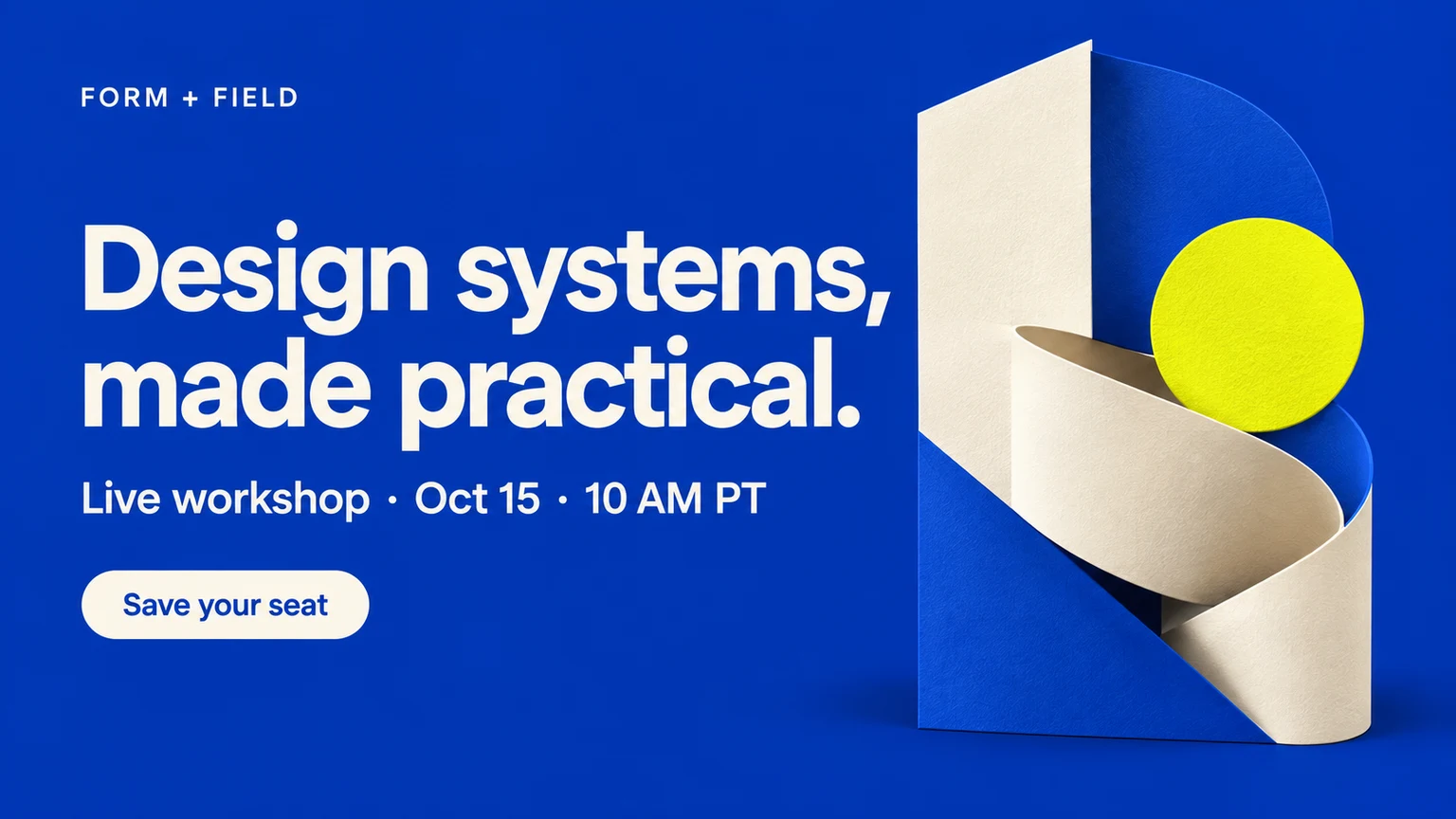
AI-generated FORM + FIELD workshop banner with ivory typography, an ultramarine background and geometric shapes.
GPT Image 2.5 Flare

A workshop invitation

FORM + FIELD · Promote a fictional design workshop with the topic, time and registration CTA.

Fills the prompt and model. Does not generate or spend credits.

View the full generation prompt

AI generated · Fictional brief

Model
GPT Image 2.5 Flare
Export
1536 × 864 px
Source
1672 × 941 px

Resized and exported as WebP

Create one finished 16:9 promotional banner for a fictional online design workshop by FORM + FIELD. Target export: 1600 by 900 pixels. Art direction: contemporary design-conference poster, rich ultramarine background, warm ivory type, a single acid-yellow accent, crisp Swiss-inspired grid and playful original modular shapes. Use a large sculptural composition of interlocking paper-like geometric forms on the right third, with realistic soft texture. Keep the left two thirds quiet enough for excellent typography. Render only this exact copy: small brand "FORM + FIELD"; largest headline "Design systems, made practical."; a clear secondary information line "Live workshop · Oct 15 · 10 AM PT"; a concise CTA in an ivory outlined or solid pill "Save your seat". Make the hierarchy distinctive and the date genuinely readable. Leave at least 6 percent margin around the composition. The result should communicate a practical professional learning event, not a music festival. No invented speakers or portraits, no partner logos, no fake attendance claims, no QR code, no website URL, no extra microtext, no watermark. Output the actual flat promotional artwork, not a photograph of a poster.

The prompt retains the brief’s requested dimensions; actual export dimensions are listed above. New generations will vary.
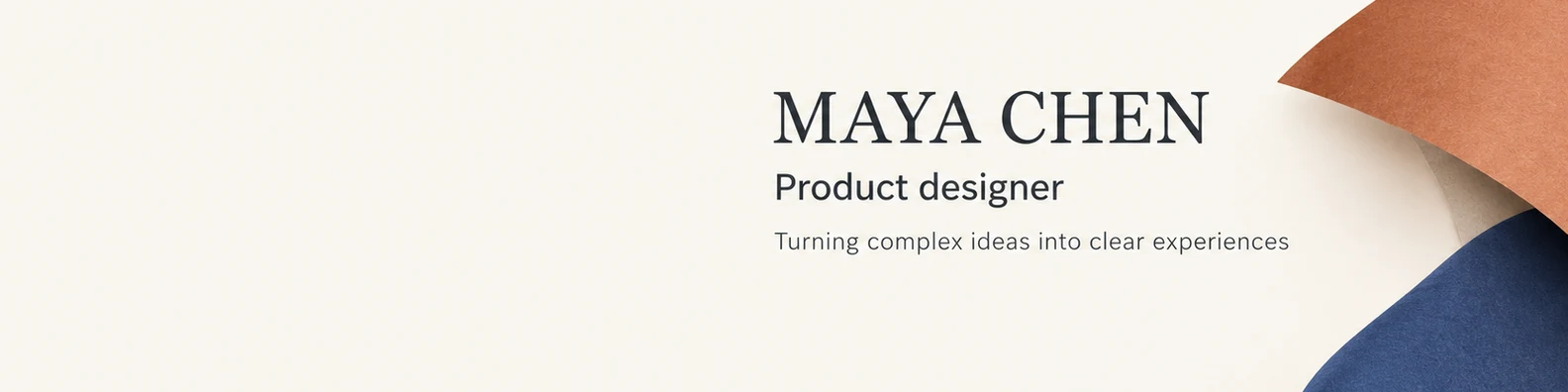
AI-generated Maya Chen LinkedIn cover with a product designer headline, ivory background and folded-paper forms.
GPT Image 2.5 Flare

A designer’s LinkedIn cover

Maya Chen · A professional cover introducing a fictional product designer and her design focus.

Fills the prompt and model. Does not generate or spend credits.

View the full generation prompt

AI generated · Fictional brief

Model
GPT Image 2.5 Flare
Export
1584 × 396 px
Source
1672 × 941 px

Cropped, resized and exported as WebP

Create one finished LinkedIn personal-profile cover for an entirely fictional product designer named Maya Chen. Final target is a very wide 4:1 banner, 1584 by 396 pixels. If you must produce a 16:9 source image, treat its central horizontal band as the finished banner and keep all text between 37 and 59 percent of the full image height, with decorative continuation above and below for later cropping. Use a quiet warm-ivory background, charcoal typography, muted terracotta and indigo abstract folded-paper forms on the far right, precise editorial spacing and understated sophistication. Keep the lower-left region empty for a platform profile-photo overlay. Do not include a portrait, avatar circle, social-platform logo, platform interface, or an actual LinkedIn screenshot. Place a compact, left-aligned typography block in the center-right, between 35 and 82 percent of canvas width. Exact text only: large "MAYA CHEN"; medium "Product designer"; smaller "Turning complex ideas into clear experiences". Every line must survive the final 4:1 center crop. Do not put text in the top or bottom decorative continuation. No contact details, employer logos, awards, sales CTA, extra text or watermark. Deliver one flat original cover artwork.

The prompt retains the brief’s requested dimensions; actual export dimensions are listed above. New generations will vary.
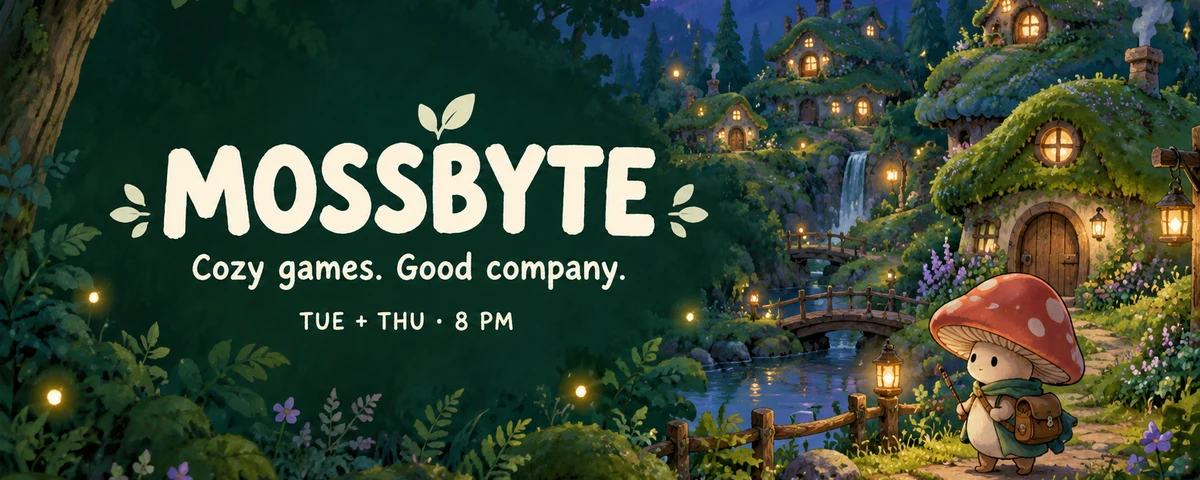
AI-generated MOSSBYTE Twitch banner with a cozy woodland village, cream channel lettering and a streaming schedule.
GPT Image 2.5 Flare

A cozy gaming channel

MOSSBYTE · A woodland profile banner with a channel name, community theme and streaming schedule.

Fills the prompt and model. Does not generate or spend credits.

View the full generation prompt

AI generated · Fictional brief

Model
GPT Image 2.5 Flare
Export
1200 × 480 px
Source
1672 × 941 px

Cropped, resized and exported as WebP

Create one finished static Twitch profile banner for a fictional cozy-gaming streamer called MOSSBYTE. Final target: 1200 by 480 pixels, 5:2 aspect ratio. If generated in 16:9, ensure the essential design survives a centered 5:2 crop: all text should fall between 34 and 59 percent of source-image height and between 8 and 48 percent of its width. Original art direction: a charming hand-painted woodland game world at blue hour, deep forest green, muted lilac, amber window lights, tiny rounded moss-covered cottages, a winding path, warm fireflies, and a small original mushroom character with a satchel on the far right. Make it feel like an inviting indie-game community, without referencing any existing game, character or artist. Leave a calm deep-green area toward the left for readable cream typography. Exact text: bold friendly headline "MOSSBYTE"; smaller line "Cozy games. Good company."; smallest readable schedule "TUE + THU · 8 PM". Keep the decorative scene extending to the right and place no important text near the outer edges. Do not include an offline-screen label, chat window, webcam box, follower count, game logos, platform logo, QR code, watermark or other text. One finished flat channel banner.

The prompt retains the brief’s requested dimensions; actual export dimensions are listed above. New generations will vary.

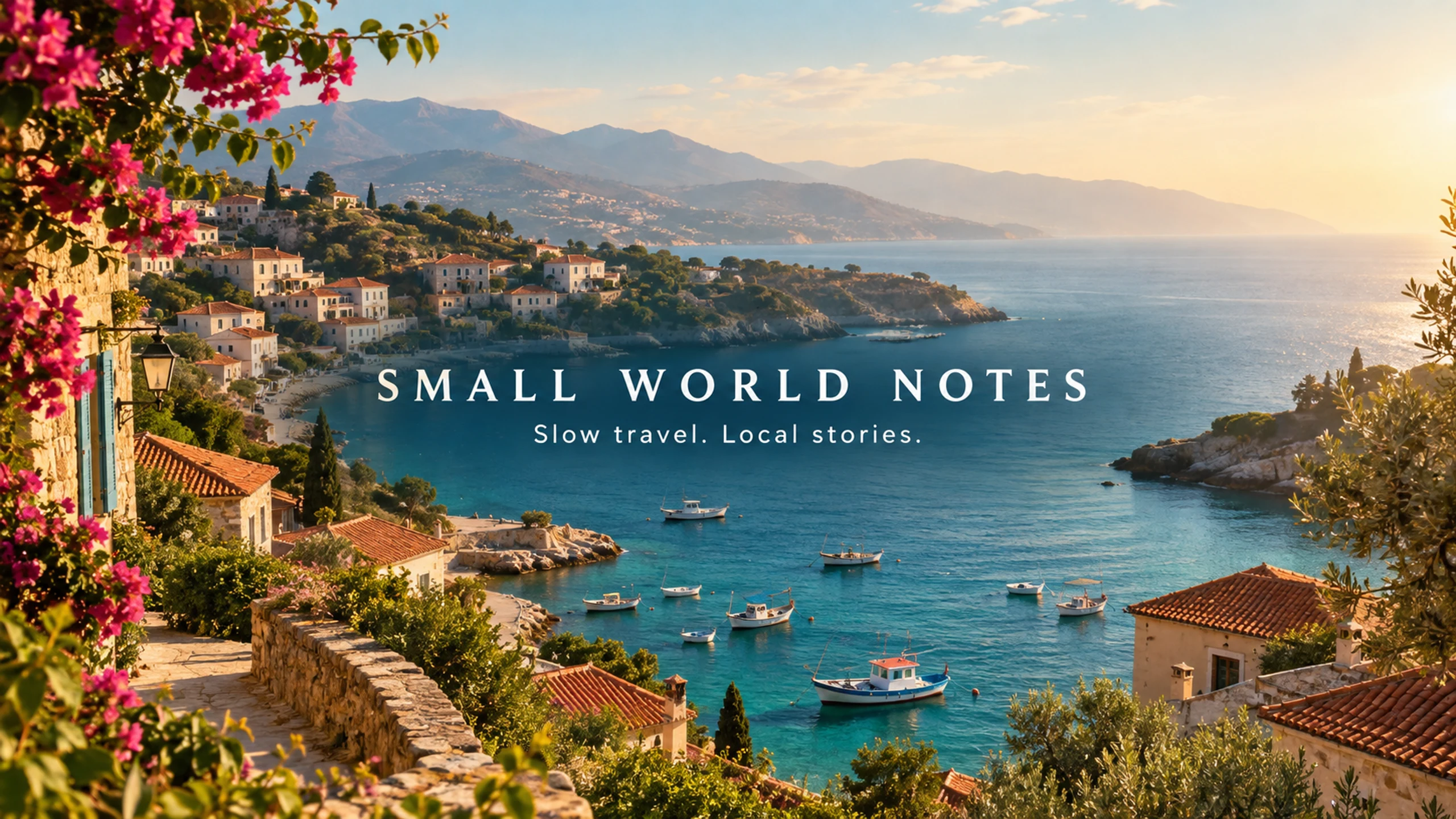
AI-generated SMALL WORLD NOTES YouTube channel art with a coastal village and centered slow-travel channel lettering.
GPT Image 2

A slow-travel YouTube channel

SMALL WORLD NOTES · Coastal channel art with the title and tagline placed in the central band.

Fills the prompt and model. Does not generate or spend credits.

View the full generation prompt

AI generated · Fictional brief

Model
GPT Image 2
Export
2560 × 1440 px
Source
1672 × 941 px

Resized and exported as WebP

Create one finished YouTube channel-art image for the fictional slow-travel channel SMALL WORLD NOTES. A 16:9 landscape canvas intended for export at 2560 by 1440 pixels. All essential text must fit inside a compact central horizontal strip: x=22 to 78 percent of image width, y=39 to 61 percent of image height. This is a real channel-art composition, not a video thumbnail. Do not put title text near the top or bottom. Art direction: cinematic but gentle travel editorial photography, an original sunlit Mediterranean-style coastal village seen from a hillside, terracotta roofs, small fishing boats, soft turquoise sea, warm morning haze and natural film texture. Avoid recognizable landmark replicas and do not use a real travel-company logo. Let the scenery extend across the outer canvas, but keep the central text area visually calm with a subtle natural darker tonal area for contrast. In the exact center, render the title "SMALL WORLD NOTES" in elegant, widely spaced warm-white uppercase typography; directly below, render "Slow travel. Local stories." in a smaller clean typeface. Keep both lines easily readable inside the specified central strip. No other text, dates, flags, icons, faces, subscriber counts, fake platform buttons, watermark, device mockup or visible safe-area guide. Deliver one flat channel-art image.

The prompt retains the brief’s requested dimensions; actual export dimensions are listed above. New generations will vary.

Create a Banner in Three Steps

Describe your idea, review the result, then prepare it for your destination.

  1. 1. Describe the Image

    Write down the subject, colors, composition, and any space you need for text. You can add a reference image.

  2. 2. Choose Settings and Generate

    Choose a model and aspect ratio. GPT Image 2.5 Flare is the default. Sign in to generate for 2 credits per image.

  3. 3. Preview and Download

    Review the text, details, and composition. Download your image and prepare the dimensions and safe area for your platform.

From a Prompt to a Banner Image

Choose a model and describe your brand, message, and composition with a prompt and optional reference image.

Three image models

Start with GPT Image 2.5 Flare, or switch to GPT Image 2 or Nano Banana. All three support prompts and reference images.

Reference Images

Upload one reference image up to 3MB and combine it with a prompt to guide the result.

Five Aspect Ratios

Choose 16:9, 1:1, 9:16, 4:3, or 3:4. Check your platform’s pixel dimensions before publishing.

Preview and download

Download your generated image, or crop and export PNG/JPEG in the platform tools. Nano Banana also lets you choose the generation format.

Examples you can build on

Explore original AI examples for ecommerce, product launches, events, and channel covers. Use a prompt as the starting point for your own brief.

Credits per Generation

New accounts receive 5 free credits. Each image uses 2 credits, with your balance shown before submission.

Generation Credit Plans

All plans use the same generator. Each image uses 2 credits. Monthly credit allowances are listed below.

Basic

$12.00/ mo

A monthly subscription for generation credits.

Included:

  • 150 credits per month
  • 2 credits per image
  • Text prompts and optional reference images
  • Five aspect ratios
  • GPT Image 2.5 Flare, GPT Image 2, Nano Banana
  • Image preview and download

Please sign in to purchase credits

Pro

$99.99/ mo

A monthly subscription for generation credits.

Included:

  • 800 credits per month
  • 2 credits per image
  • Text prompts and optional reference images
  • Five aspect ratios
  • GPT Image 2.5 Flare, GPT Image 2, Nano Banana
  • Image preview and download

Please sign in to purchase credits

Max

$80.00/ mo

A monthly subscription for generation credits.

Included:

  • 1,600 credits per month
  • 2 credits per image
  • Text prompts and optional reference images
  • Five aspect ratios
  • GPT Image 2.5 Flare, GPT Image 2, Nano Banana
  • Image preview and download

Please sign in to purchase credits

FAQ

Frequently Asked Questions

Learn about inputs, credits, and preparing your image for use.

What can AIBanner generate?

AIBanner turns a text prompt into a banner image, with an optional reference image. You can describe a social cover, channel background, or advertising visual.

Which image model is selected by default?

GPT Image 2.5 Flare is selected by default. You can switch to GPT Image 2 or Nano Banana in the generator. All three accept text and an optional reference image, and each image uses 2 credits.

Do I need to sign in, and how many free credits do I get?

Sign-in is required to generate. New accounts receive 5 free credits, valid for one year. Each image uses 2 credits.

How do reference images work?

Upload a PNG, JPG, or WEBP image up to 3MB and describe what you want to create. The reference helps guide the result; review the output details before use.

Which aspect ratios and output formats are available?

Choose 16:9, 1:1, 9:16, 4:3, or 3:4. GPT models provide their generated image for download; Nano Banana accepts PNG or JPEG output requests. Platform tools can crop and export images as PNG/JPEG. Check dimensions and safe areas before publishing.

Can AIBanner read a website or save a brand kit?

The current generator accepts a text prompt and an optional reference image. It does not turn a website URL into brand assets or store a kit of fonts, logos, and colors.

How can I improve the result?

Specify the subject, colors, composition, and space for text. Adjust your prompt or reference image to generate another version; each new generation uses credits. Review spelling, visual details, and composition before publishing.

Start Your Next Banner Image

Sign in to generate. New accounts receive 5 free credits; each image uses 2 credits.

AI Banner Generator from Text & Reference Images | AIBanner